Software - > AVI-Mux GUI

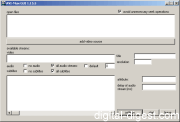
Screenshot

Downloads


Join Our Newsletter
Title: AVI-Mux GUI
Author/Publisher: Official Website
Ease of use: Not Rated
Latest Version: 1.17.8 (details)
OS Support: Windows 95 Windows 98 Windows Me Windows 2000 Windows XP
License: Freeware
Date Added: Nov 21, 2005
Last Updated: Sep 7, 2008
Page Viewed: 77970 times

  Email Updates
email me whenever this software gets updated

Send to Friend   Send to Friend

User Rating:
(10 votes)
Details / Vote Now
User Comments:
nickosg7: good very good thank u keep...
More / Post Your Comments

Summary Links Images Ratings History Tools

Categories:

Supported File Formats:

Input Files: AAC, AC3, AVI, DTS, MKV, MP3, OGG/OGM, SRT, SSA, WAV
Output Files: AAC, AC3, AVI, DTS, MKV, MP2, MP3, MP4, OGG/OGM

Description:

From the Readme :
This program can be used to create multilingual, splitted AVI files. Sources can be AVI-, MP3- and AC3-files. AVI-Files can be used even if they are stored on a CD created with Mode2CDMaker. The output files will contain special structures to allow replaying the files from low-speed cd-roms (8x should be enough). Therefore, you can set a low speed in Nero CD Speed to replay your movies without noise from CD.

Revision History:

Version 1.17.8
  • Release Date: Sep 7, 2008
  • new
    • The CTextFile class is redone. Text files can now be handled in UTF-16 big and little endian (with BOM only), UTF 8 (with BOM only) and the local charset of your windows installation
    • Added highlighting for streams that are default and for streams that AVI-Mux GUI cannot put into AVI files (this visual feature can be disabled)
    • When creating XML files, now STL is used
    • Matroska tags can be used to create several titles for one matroska stream. Note that this is, as far as I know, not yet supported by players or filters.
    • The BitStream class is redone. Reading AAC audio is now faster.
    • The widht and height of the settings window is increased if the right-bottom-most button is cropped.
    • There is now a setting to enable, disable or leave unchanged the cleartype font setting
  • fixed bugs
    • When opening Matroska files containing Vorbis audio streams, the vorbis audio streams' titles were not imported
    • A crash occurred when opening a matroska file containing Tags with no target
    • The windows size should not be restored correctly and on the correct screen when restarting AVI-Mux GUI
    • The delay setting was printed in the wrong place for A_MS/ACM audio tracks in matroska files
    • DTS streams with frames of 2012 bytes got a wrong duration because the PCMSampleCount header field was not used. This made the audio go out of sync
    • When the size estimation of a Vorbis audio track failed, a crash occurred
    • AC3 and DTS: The LFE channel was ignored. This caused incorrect channel information to be written in headers. This did not affect replay on most players, but I got a report that a Nero AVI file parser interpreted this difference between header and real stream data as a broken file.
    • AC3: Due to some rounding that (erroneously) occurred when reading AC3 audio files with 44.1 kHz, such streams were muxed incorrectly.
    • Nowadays, there is no long double anymore in Visual Studio. Due to this, when trying to write 80 bit floats into matroska file, a 64 bit float was written instead and padded with 2 zero bytes. This is fixed. IMPORTANT: 80 bit floats are no longer allowed in the matroska specification. 80 bit floats can only be selected when matroska v1/v2 enforcement is disabled.
    • the file name in the START command in scripts was converted to UTF-8, then it was interpreted as 8859-1 and again converted to UTF-8, which led to disrupted file names
    • a crash occurred when dropping an XML chapter file onto an edition in the chapter editor
View complete revision history

Downloads:

Download: Official Download Site Title: Official Download Site
Link: Download

Description: Download AVI-Mux GUI from the official site


Download: AVI-Mux_GUI-1.17.8.zip Title: AVI-Mux_GUI-1.17.8.zip
Link: Download
Size: 641 KB

Description: Download AVI-Mux GUI


Related Articles:

Read Article: AVI to a DVD Compliant MPEG-2 File Using QuEnc Title: AVI to a DVD Compliant MPEG-2 File Using QuEnc

Link: Read Article

Description: This guide shows you how to turn an AVI file into MPEG-2 compatible M2V/AC3 streams using QuEnc and other tools


User Rating:

  Average Rating: Your Rating:
Registered Users: (10 votes)
Non-Registered Users: (26 votes)

User Comments:

Sorry, but you must be logged in to use this feature.

Please note that the forum has a separate login/registration system. You will need to sign up and login to the forum separately.

Username:
Password:
Remember Login?
 

Don't have an account? Sign up here
Lost your login/password?
Top 10

Software Submissions