|
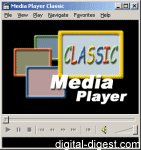
Download Media Player Classic, a multimedia player capable of playing DivX movies
A multimedia player with a similar interface to Microsoft Windows Media Player 6.4, but has many more features specific for DivX playback.
A "HomeCinema" edition of MPC is also available with some additional features:
- Anti tearing option
- Jitter tests - In VMR9 renderless and EVR custom pres. mode it's possible to display a jitter curve using "Ctrl+J" shortcut. This curve show difference between the moment one frame was expected to be displayed, and the moment it was really displayed.
- Subtiles synchronisation
- Shuttle PN31 remote control support
- OSD (On Screen Display) - When video output is VMR9 or EVR, MPC can displays some informations on screen (remaining time, volume, audio track, subtitle, …).
Playing back .MP4 H.264 encoded movies:
This software has the following sub editions:
Media Player Classic<==
Input Files: ASF, AVI, DVD, MPG, RM/RMVB, VOB, WMV
Windows 95/Windows 98/Windows Me/Windows 2000/Windows XP/Windows Vista/Windows 7
 H.264 Playback Guide H.264 Playback Guide 
Description: A guide on how to play back H.264 files (MP4 + AAC), including a look at software including ffdshow, CoreAVC, Nero ShowTime
|
|
|
How to Watch or Preview DVD Files on your Hard Drive
Description: Short guide on how to watch DVD files that are on your hard drive. This guide can also be used to preview the files before actually burning them to a disc.
|
|
|
Is your computer fast enough for high definition DVD playback?
Description: A guide which let you know if your computer is fast enough to play back high definition DVDs
|
|
|
MP4 Usage Guide
Description: This guide provides information and tips for some of the things you might need to do with your MP4 file, like playback, conversion (to and from), splitting/joining, mux/demux and more.
|
|
|
Version 6.4.9.1 (20100214)
- Release Date: Feb 15, 2010
- Download(s):
- 106 Fixed wrong comment for Delay setting in DirectVobSub.
- 105 Updated file formats list
- 104 Updated copyright year
- 103 libpng to version 1.2.37
- 102 VSFilter: blacklisted Google Desktop(v2.39.5.2)
- 101 VSFilter: change registry key name of Style to Style2 to prevent issues with old versions
- 100 FLV Splitter: fix support for NELLYMOSER_8HZ_MONO
- 99 Better match standard DirectShow behavior for selecting the source filter.
- 98 Updated libpng to version 1.2.35
- 97 Minor changes
- 96 Updated libfaad to version 2.7
- 95 Bump VSFilter version number and copyright year.(v2.39.5.1)
- 94 Fixes to VFR support in Avisynth TextSub function, thanks to Conan Tantei.
- 93 Have VSFilter.dll report a sane version number in the VERSIONINFO resource, instead of the useless numbers telling nothing about the actual version numbers everyone else uses (including the DShow filter's own About property page.)(v2.39.5.0)
- 92 Add VFR capability to the Avisynth 2.5 VSFilter TextSub() and MaskSub() functions.
Also make both TextSub() and MaskSub() take named parameters instead of only positional ones.
- 91 Updated libpng to version 1.2.34
- 90 Matroska splitter: Theora support
- 89 MP4 splitter: AC3 support
MP4 splitter: small bugfix
Matroska splitter: E-AC3 support
- 88 Ogg splitter: Theora support
- 87 Fixed buffer overrun in RealText subtitle parser (Released)
View complete revision history
|

|
Rate this software:
Your Rating:
You have not voted yet!
Average: 3.81/5
Total Ratings: 554
|

 Home
Home


 MPC-HC.1.9.0.x86.exe