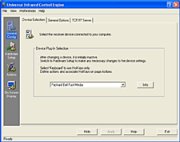
uICE enables complete control of your Windows system with handheld remote
controls, standard and multimedia keyboards, wireless or wired. Use uICE to
remote-control multimedia applications like Windows Media Player,
Winamp/Sonique or other MP3 players, your favorite DVD/DivX video player or
TV viewer, or presentation software like Microsoft Powerpoint.
uICE is a versatile all-in-one interface between an input device and any
kind of software application. Optimized for controlling a Windows PC from
the distance, it provides On-Screen Displays and an On-Screen Menu known
from TV sets and DVD/VCR devices. To ensure readability on TV sets and
smaller computer displays even from a greater distance, OSDs and the OSM
renounce displaying a lot of graphical elements in favor of customizable
large fonts.
Its versatility in application and system control comes from its large
collection of actions both for common Operating System procedures and
application input simulation, especially its advanced and powerful
PostMessage action and the convenient On-Screen Menu.
In addition, uICE provides true multi-application remote control, which
allows to define independent sets of remote control functions for each
application. The Play button can play videos, music, slide shows or whatever
you like, depending on the currently selected application.
Application selection is accessible via the On-Screen Menu, which does also
provide options to explore and open videos, music, pictures and other files
directly from the harddisk or a home network/Intranet location, and timers
to turn your computer off or wake it up from standby mode at a specific
time.
The current version supports multimedia and standard keyboards as well as
remote controls from Hauppauge WinTV, Creative Live!Drive/AudigyDrive
(RM-900), Packard Bell Fast Media, Logitech/IBM/AST/NEC, LIRC/WinLIRC,
Realmagic Hollywood+, and many others.


 Home
Home


 Official download site