From the Author :
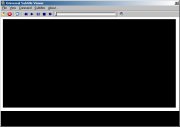
USV is a program which allows you to watch movies with subtitles.
There is already many program like this on Internet, so why should you use this one instead of the others :
- It is really easy to use : just open a movie file and USV automatically search for the subtitle files (in the current directory, a current sub-directory and another directory you have configured).
- You can use Open With ... USV in Explorer.
- USV supports 14 formats (see 3. Supported Formats).
- You can switch very easyly and quickly between different subtitle files.
- You can convert any of the supported format to SubRip format (*.srt).
- You can merge two (or more) subtitle files in one : for this you just have to press the space bar when the first subtitle of the second file should appear. If the result is ok, you just have to save.
- USV offers you the easiest way to resynchronize a subtitle file if the subtitles display too fast/slow and/or if there is a shift: for this you choose 4 subtitles and then you press the space bar to indicate when each of the subtitles you choosed should appear. If the result is not perfect, try again without reloading a subtitle file. My advice is to use subtitles distant of 1 min at least and then it is often perfect at the first try.
Supported Formats :
- MicroDVD (*.SUB)
- SonicDVD (*.SUB)
- DVDSubtitle (*.SUB)
- SubViewer 1.0 (*.SUB)
- SubViewer 2.0 (*.SUB)
- SubSonic (*.SUB)
- SubRip (*.SRT)
- SubStation Alpha (*.SSA)
- PowerDivx (*.PSB)
- TMPlayer (*.TXT)
- DKS Subtitle Format (*.DKS)
- MPlayer (*.MPL)
- MacSub (*.SCR)
- Viplay Subtitle File (*.VSF)
Input Files: SRT, SSA, SUB
Windows 95/Windows 98/Windows Me/Windows 2000/Windows XP
 Usv.zip Usv.zip
| Description: | Download Universal Subtitle Viewer |
| Size: | 349 KB |
|
|
|
Version 0.9
- Release Date: Aug 30, 2002


 Home
Home