Software - > VobSub/DirectVobSub/VSFilter

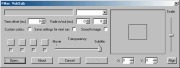
Screenshot

Downloads


Join Our Newsletter

DigiWiki: VobSub
Title: VobSub/DirectVobSub/VSFilter
Author/Publisher: Official Website
Ease of use: Not Rated
Latest Version: 2.23 (VSFilter: 2.39 2009-06-24) (details)
OS Support: Windows 95 Windows 98 Windows Me
License: Freeware
Date Added: Dec 13, 2002
Last Updated: Aug 5, 2009
Page Viewed: 2553162 times

  Email Updates
email me whenever this software gets updated

Send to Friend   Send to Friend

User Rating:
(17 votes)
Details / Vote Now / Post Your Comments

Summary Links Images Ratings History Tools

Related Forum Threads:

Loading

Downloads:

Download: VobSub_2.23.exe Title: VobSub_2.23.exe
Link: Download
Size: 717 KB

Description: Download VobSub/DirectVobSub/VSFilter


Download: DirectVobSub_2.37_VSFilter_2.39.zip Title: DirectVobSub_2.37_VSFilter_2.39.zip
Link: Download
Size: 837 KB

Description: Latest VSFilter/DirectVobSub for Windows NT/2000/2003/XP/Vista


Download: Official Download Page Title: Official Download Page
Link: Download

Description: Download VobSub/DirectVobSub/VSFilter from the official site - download the latest beta versions here


Download: vobsub_src.rar Title: vobsub_src.rar
Link: Download
Size: 239 KB

Description: Source Code


Download: DirectVobSub_2.37_VSFilter_2.39_win9x.zip Title: DirectVobSub_2.37_VSFilter_2.39_win9x.zip
Link: Download
Size: 819 KB

Description: Latest VSFilter/DirectVobSub for Windows 95/98/ME


More Downloads More Downloads ...
Archive Downloads Download Older Versions (1 downloads)...


Related Articles:

Read Article: VobSub Subtitle Ripping, Playback and Permanent Subtitle Guide Title: VobSub Subtitle Ripping, Playback and Permanent Subtitle Guide

Link: Read Article   Editor's Pick     Essential Reading  

Description: A guide on how to use VobSub to extract subtitles, using VSFilter/DirectVobSub to playback these subtitle files and to make permanent (burnt-in) subtitles using VirtualDub


Description:

Tip: For a guide on how to use VobSub to extract subtitle files or on how to playback subtitle files, please refer to the VobSub Subtitle Extraction and Playback Guide


A AVISynth/AVIUtl/VirtualDub plug-in + directshow filter for extracting subtitles from DVD VOB files and displaying them in your DivX movie during playback. Please refer to the readme FAQ and/or refer to the official site for more information. Now includes Subresync for fixing subtitle sync problems, and SubMux for muxing SRT subtitles (and audio tracks) with AVI/DivX files.

Additional language packs (currently for simplified and traditional Chinese) are available on the official site.

For the latest version of VSFilter/DirectVobSub needed to playback subtitles, use the "Latest VSFilter/DirectVobSub" link above. Installation instructions are included, or if you prefer a installer, use the downloads on this page.

If you need the VirtualDub VobSub plug-in, please download VobSub_2.23.exe.

Categories:

Revision History:

Version 2.23 (VSFilter: 2.39 2009-06-24) View complete revision history
Codecs

For video playback problems, please visit afreeCodec.com

User Rating:

  Average Rating: Your Rating:
Registered Users: (17 votes)
Non-Registered Users: (155 votes)

User Comments:

sorry, I am an old lady, trying to undestand all this. I have started the process, but cannot find the VideTS file on my computer. i cannot go to next step. Can anyone help me? My email address is nadjaq20@yahoo.fr On skype: jm-njacques
Posted by: nadjaq, 22:53:44, Jun 1, 2006


thx
Posted by: yaaahooo, 18:07:31, Jan 27, 2008


Vosub is awesome. It took me a minute to realize you dont have to do anything with it after download. The fact that it works in the background automatically is awesome. Just download and leave alone. No opening or closing. Just have to make sure that the subtitles are in the same folder as the movie and have the same name except for the extension of course. This program is the best. Now I can watch my tagalog movies.
Posted by: nahcm, 12:50:57, Feb 14, 2008


good
Posted by: poom_99, 14:22:41, Feb 22, 2008


Thanks
Posted by: wanna, 00:48:06, Apr 6, 2008


Yes vobsub is great. But I have a problem with some movies. I can play the movie without subtitles on media player but when I put the subtitle file in the same directory (with exactly same name) the movie cannot be played. The vob sub green arrow is shown in the task bar and Media player says "playing" but the play time remains 00.00 . Can anybody help?
Posted by: mushakes, 15:56:42, May 1, 2008


More Comments

Sorry, but you must be logged in to use this feature.

Please note that the forum has a separate login/registration system. You will need to sign up and login to the forum separately.

Username:
Password:
Remember Login?
 

Don't have an account? Sign up here
Lost your login/password?
Top 10

Site Partners

afreeCodec

dvdloc8.com


Software Submissions